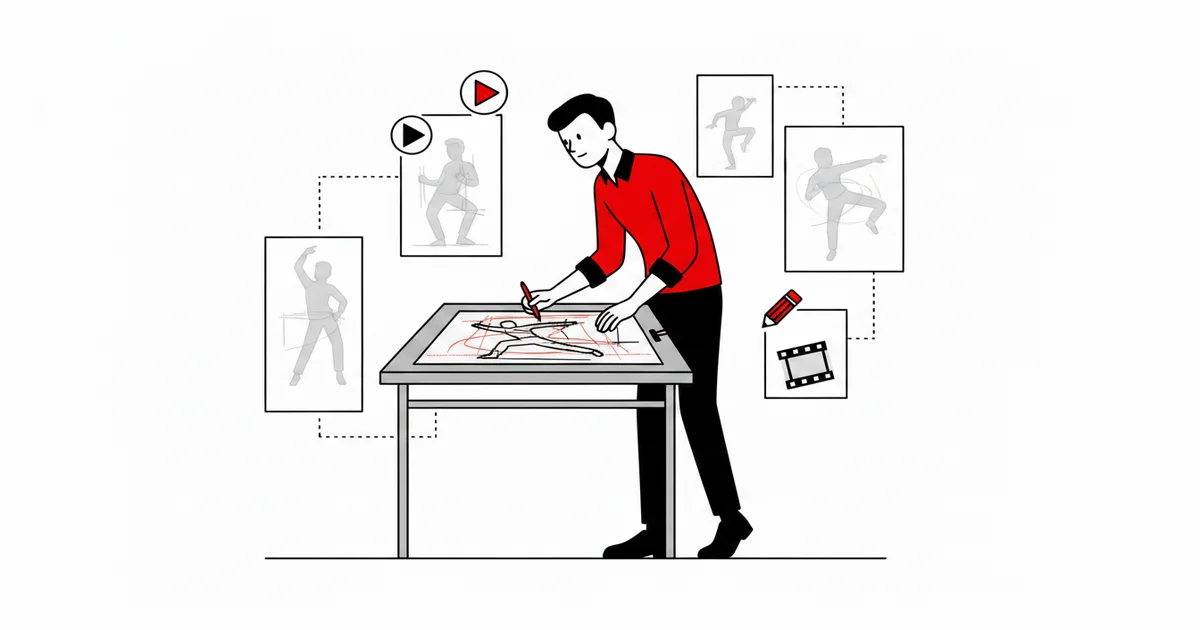
Rotoscoping is the technique of animating by drawing over real footage, frame by frame. It dates back to 1915, when Max Fleischer patented a method of projecting film onto a glass table so the animator could redraw the movement. Almost everyone has seen the result without knowing it: that is how many effects in classic films gain realism — from Snow White to A Scanner Darkly.
What rotoscoping is not
Before I explain how it works, let me clear up the most common misunderstanding: rotoscoping is not “pasting” a drawing over a video with an automatic filter. It is drawing. The animator decides, frame by frame, what stays from reality and what becomes line, shape, simplification. In my studio, I use the technique not as a shortcut but as a direction choice: an aesthetic decision that carries the real movement into the drawing.
The starting point is in Fleischer’s own patent: the method captures real action and, over each frame, traces the drawing that replaces the actor — a redraw on every frame, not an automatic conversion.[1]
How it works in practice
The process, in its classic form, has three steps that repeat for every frame:
1. Shoot the reference. An actor, a dancer, a moving object. It can be a simple phone video — what matters is capturing the real timing.
2. Overlay and draw. The footage enters as a reference in the animation software. On top of it, the animator draws the new character, respecting the movement but redefining the shape. Each frame is a new drawing, on top of the footage frame.
3. Clean and composite. The guide strokes are cleaned, colors come in, and the drawing is finished. The original video disappears; only the line remains.
Rotoscoping with free software
Contrary to what many people think, you do not need expensive studio software to rotoscope today. Two paths are enough, and both run in my 100% free pipeline:
- Blender Grease Pencil — Blender’s 2D drawing module lets you import the video as a reference and draw frame by frame with vector strokes. It is the most complete option: the drawing coexists with the 3D scene, camera and compositing.
- Krita — the digital painting editor has an animation panel with onion skinning that works very well for frame-by-frame rotoscoping.
For anyone following my production flow, this technique fits into my animation pipeline as a real-reference stage — the same logic of starting from research before drawing, as I describe in the post about the award-winning short.
What AI changes (and what it does not)
Automatic segmentation and AI tools changed the “matte” game: today there are tools that isolate a character from the background almost on their own. But the part that matters — the drawing, the style decision, the line — remains human work. AI speeds up preparation; it does not decide the drawing.
It is the same boundary that separates task from art: I can use automation to clean a background, and still my eye defines the stroke that stays. I wrote more about that distinction in AI and audiovisual.
Frequently asked questions
Is rotoscoping “stealing” a drawing from a video?
No. Rotoscoping is drawing over a real reference. The result is a new drawing — the animator redefines shape, line and style. The video is input, not the work itself.
What free software can I use for rotoscoping?
The two main options are Blender (Grease Pencil module) and Krita. Both let you import the video as a reference and draw frame by frame with onion skinning. I use Grease Pencil in my pipeline.
Has AI replaced rotoscoping?
No. AI speeds up preparation tasks (like separating the background), but the drawing decision — the line, the shape, the style — remains the animator’s work.
Is rotoscoping 2D or 3D?
The classic technique is 2D: drawing over footage. But Blender lets you integrate Grease Pencil vector drawing with 3D scenes, creating a bridge between the two worlds.
How much does a rotoscoped animation cost?
It depends on the duration and the level of drawing detail. Since it is frame-by-frame drawing, production time is longer than for animation with ready rigs. If you want to estimate your project, the budget calculator is a starting point.
What is meant by rotoscoping animation?
It means redrawing a filmed performance, frame by frame, to produce animation. Instead of inventing the movement from scratch, the animator traces over real footage and decides what stays and what becomes line and shape. That is why rotoscoped animation keeps a realistic motion while retaining a drawn look.
How is rotoscoping animation made?
Import the footage as a reference, draw over it frame by frame, and use onion skinning to see the previous frames. In my pipeline I do this with Blender’s Grease Pencil: the video is the guide, and the drawing is built on top of it.
Who invented rotoscoping and when?
Max Fleischer, in 1915 (patent filed in 1917). He projected the film onto a glass table so the animator could redraw the movement, frame by frame.
References
- Fleischer, M. (1917) Method of producing moving-picture cartoons. US Patent 1242674 — United States Patent Office. https://patents.google.com/patent/US1242674A/en
- Graça, R. A. B. — practical experience using Blender Grease Pencil and Krita for rotoscoping in animation projects (2026).
— Ricardo A. B. Graça · ricolandia.com