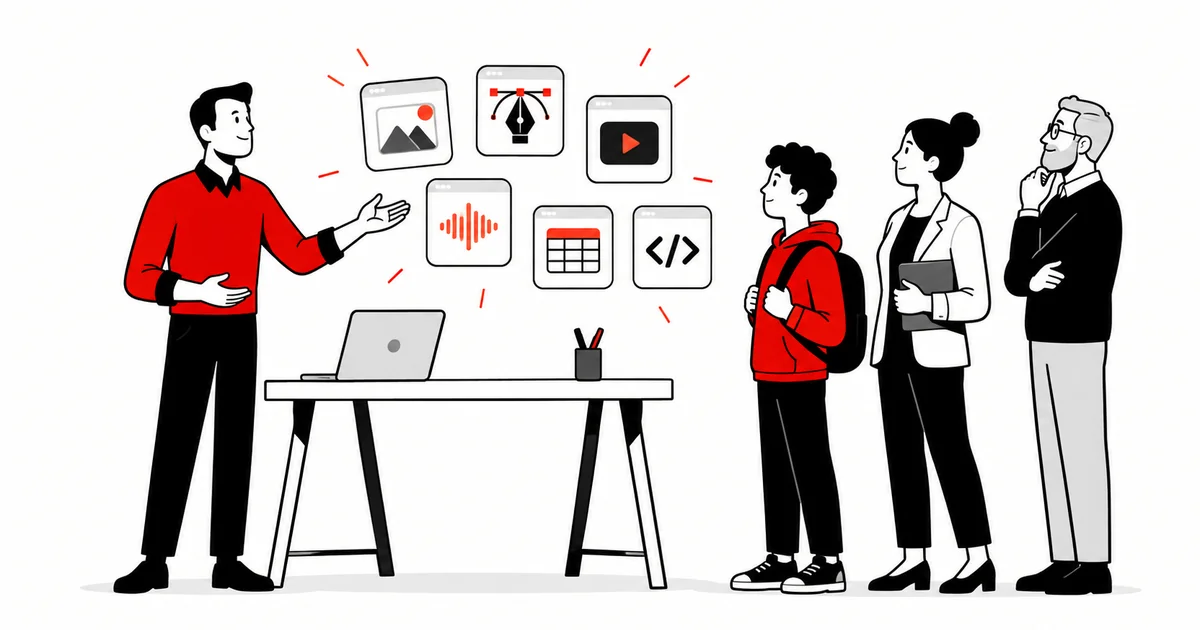
Every software subscription is also a decision about who gets to create. When a work tool only exists as a monthly rental, it does not just limit access to the program: it defines who can study, produce and publish with it. That is how I started reading free software first as a solution for access, and only then as a technical preference.
In this text I look at the three sides of the same choice: access (who is left out when the tool is rent), privacy (where your files live and what leaves your machine) and autonomy (who controls your process when the vendor changes the rules). And one case that shows the movement happening right now: ArtCraft.
The invisible cost of the subscription
The subscription model looks small month by month, and gets expensive when you add up the year. Worse than the cost is the silent effect: people who cannot pay leave the professional circuit, not for lack of talent, but for lack of access. Students, self-taught artists, small studios and professionals in countries with devalued currency feel it first.
That filter reduces the variety of who gets to produce, and variety is what gives the market its range. Hiring a studio that works with free software is also a way to escape the filter from the client side, as I detail in animation studio with free software.
Democratization: when the tool stops being rent
Eric von Hippel called it the democratization of innovation: the movement that happens when creation tools reach the hands of users, so innovation no longer depends on laboratories and starts happening at the desk of whoever uses the tool.[1] Free software takes that to the infrastructure: the code can be read, modified and redistributed, so the tool does not belong only to whoever charges the rent.
The movement did not start yesterday. Blender, Krita, Inkscape, GIMP, Kdenlive, LibreOffice: each one took a space that used to require a purchase or a license. What changes now is the scale. It is the turn of entire packages of professional tools.
Privacy: what leaves your machine when the work goes to the cloud
Working in the cloud has advantages, but the industry treated the upload as if it were neutral. It is not. Every file that goes up carries data, context and intellectual property, and the bill shows up as account sync, telemetry and retention. For corporate video and client projects, that is not a detail, it is risk, as I discuss in digital sovereignty: where do your corporate video data go?.
Research on local-first software describes the alternative: applications where the data lives on your machine and the network is an optional extra, not the center of the system.[2] A free license alone does not guarantee privacy, but it is the local architecture that makes it possible and verifiable.
Autonomy: open formats, your files
Autonomy is what remains when the vendor changes the price, the model or the format. Open formats and local files keep your project opening, with or without a subscription. Digital sovereignty stopped being a niche subject: it became a concern for states and companies.[3]
In my case, this choice has twenty years behind it and it is the subject of why I chose free software: the difference between using the tool and depending on it.
The ArtCraft case: thirteen apps in Rust
ArtCraft is the most recent materialization of this movement. The project is rebuilding thirteen creation programs as free software, written from scratch in Rust.[4] Each one targets a tool that is sold by subscription today:
 PhotoCraft
image editing
 VectorCraft
vector illustration
 FilmCraft
video editing
 LightCraft
photos & RAW
 PdfCraft
 EffectCraft
motion & VFX
 DesignCraft
page layout
 FigCraft
interface design
 WordCraft
word processing
 SoundCraft
audio
 DeckCraft
presentations
 CADCraft
CAD
 GridCraft
spreadsheets
Icons: ArtCraft project. The code for each app is at github.com/storytold
Looking at the whole set, it is what is sold today by subscription in the creative suites, in the office package and in CAD. The difference in principle is the architecture: everything runs locally, the files stay with you, and the interface follows the vocabulary professionals already know, so nothing has to be relearned. The apps are native for macOS, Windows and Linux, most of them also run in the browser via WebAssembly, and the project declares itself agent-ready, with a CLI, a JSON control channel and an MCP server. A dedicated launcher installs all thirteen at once and keeps them up to date.
Honesty matters here: the site itself marks the status of each app, from early alpha to in development. It is not the moment to switch your whole workflow at once, and the project does not hide that. What exists is an open path: the code for all thirteen apps is on GitHub, under the Apache-2.0 license.
What is still missing
Free software is not a magic solution. Looking frankly, what this kind of package still lacks is maturity (the apps are in alpha), ecosystem (plugins, fonts and community templates), interoperability with the proprietary formats that production still demands, and support with guarantees when the project is critical.
Being clear about that is what separates propaganda from real adoption. The useful question is not “is free software better?”, it is: for this task, at this stage, does it already work?
How to start without breaking your workflow
My recommendation is migration step by step, not by rupture. Pick one task (image work, video editing, spreadsheets, PDF), run a real project with it and keep the rest of the workflow as it is. When the client demands a closed format, you export in the requested format and keep working in the open one.
Over time, the free set covers more than you expected, and the subscription bill stops being what decides your work.
Bridge: my own tools
This is the same criterion that led me to build my own. Fonte is a free, offline and open-source screenplay editor. HQ Tools is a comics plugin for Krita, open source under the MIT license. They are not accidental projects: they are tools I wanted to exist as accessible, the same way Blender and Krita exist for those who draw and animate.
Frequently asked questions
Is free software safe?
Safety comes from open code that can be audited and from constant community updates. A well-maintained free project is as safe as, or safer than, a closed one. The bigger risk is software without maintenance, open or not.
Can you work professionally with free software only?
Yes, in many areas: animation, illustration, editing, audio, office work. The path is step by step, as I describe above, paying attention to each client’s format requirements.
What if the client requires a closed format (.psd, .ai, .prproj)?
You export in the requested format and keep working in the open one. Delivering in the client’s format is a delivery requirement, not a workflow obligation. When possible, agree on an open-format version as well.
Is “free” the same as “gratis”?
No. Free refers to the freedoms over the code: to use, study, modify and redistribute it. Most projects are gratis, but support, hosting or services can be paid without making the software any less free.
What do I lose by staying only in the commercial suite?
Cost predictability, control over your files and continuity if the vendor changes the rules. In exchange, you gain integration and support with guarantees. Step-by-step adoption helps balance both sides.
References
- von Hippel, E. (2005). Democratizing Innovation. MIT Press. https://doi.org/10.7551/mitpress/2333.001.0001
- Kleppmann, M.; Wiggins, A.; van Hardenberg, P.; McGranaghan, M. (2019). Local-first software: you own your data, in spite of the cloud. Onward! 2019, ACM. https://doi.org/10.1145/3359591.3359737
- Floridi, L. (2020). The Fight for Digital Sovereignty: What It Is, and Why It Matters, Especially for the EU. Philosophy & Technology. https://doi.org/10.1007/s13347-020-00423-6
- ArtCraft. Crafting Apps. getartcraft.com/apps (accessed on 14/10/2026). Code: github.com/storytold, one repository per app, under the Apache-2.0 license.
— Ricardo A. B. Graça · ricolandia.com