Fonte
A Fountain screenplay editor. Free. Offline. Open source.
📦 ~2.3 MB — editor + Excalidraw + templates, all offline
Built by someone who writes screenplays — not by a company chasing a market share.
For screenwriters, cultural producers, film students and creative teams.
Looking for a free screenplay editor that works offline, with no signup and no server? Fonte is the tool. ~2.3 MB, runs in your browser, and renders professional Fountain formatting automatically.
Fonte is a professional screenplay editor that runs in your browser. You write in Fountain — the plain text format screenwriters love — and the app renders it with proper screenplay formatting automatically.
No installation, no server, no internet required after the first load.
🌐 The web version is universal — under 5 MB — with ALL features. The web zip (or the online PWA) contains everything: editor, Excalidraw, Cultural Project, beats, timeline, backups, i18n. It's not a reduced version — it works offline on any device, no installation. The desktop versions (Windows/Linux/macOS) are optional for those who prefer a native app.
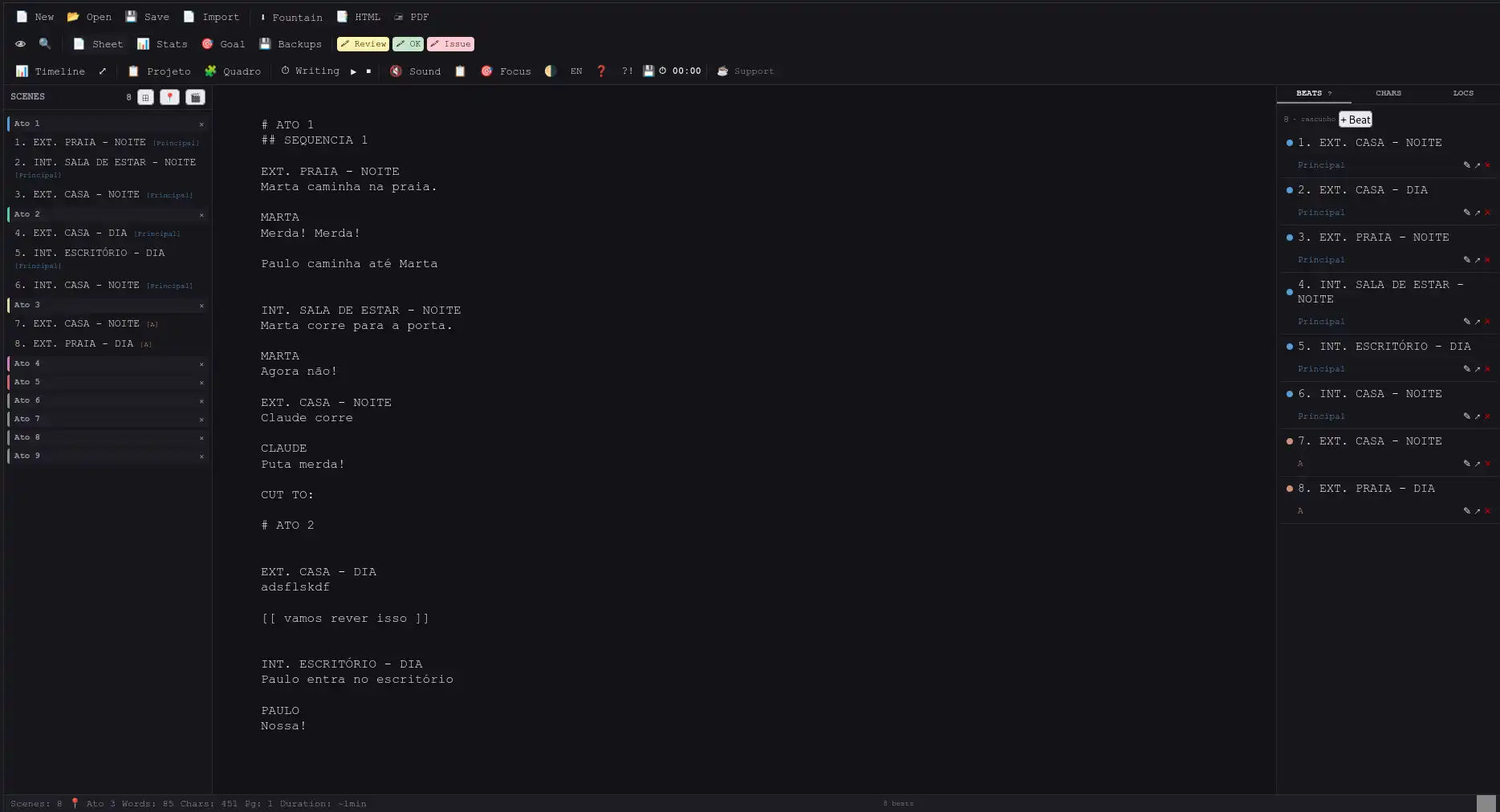
Fonte in action — live preview, timeline and beats
AudienceWho it's for
Screenwriters
Write in Fountain format without hassle. Live preview, beats, timeline.
Cultural producers
Structure projects for grant applications with the Cultural Project module.
Film students
A free, functional tool that works offline — no signup required.
Creative teams
A lightweight solution to share scripts without depending on a server.
Setup5 ways to use it
Option 1 — Online web (recommended, fastest)
🌐 Open it in your browser (phone or computer): ricolandia.com/free-screenplay-editor/Demo/
📲 If you like, install it as a PWA right from the browser (see Option 4).
Option 2 — Universal (.zip, 100% offline)
Extract
Extract the zip. The Fonte-web folder is created automatically.
Open
Double-click Fonte-web/index.html — it opens in your browser.
Write
Done. Works offline, auto-saves, zero configuration.
☁️ Tip: Put the folder in Dropbox, Google Drive, OneDrive or Syncthing — edit from PC and phone.
🌐 Share: Copy the Fonte-web folder to any FTP server or static hosting. Zero configuration.
📱 Mobile: Open Fonte-web/index.html from your file manager. The editor is responsive.
Option 3 — Native desktop (new)
Native window with menus, shortcuts and 100% integrated Excalidraw. Same features as the web version.
Option 4 — As an app (PWA)
- Access — Open Chrome on your phone (or desktop) and go to ricolandia.com/free-screenplay-editor/Demo/
- Menu — Tap the three dots ⋮ in the top right corner and select "Install Fonte" or "Add to Home screen"
- Confirm — In the popup, tap "Install" or "Add"
- Done — The Fonte icon appears on your home screen. Works offline like a native app.
Option 5 — Own server / Docker
python3 server.py      # simple local server
# or
cd web && docker compose up -d   # optional PDF/HTML API
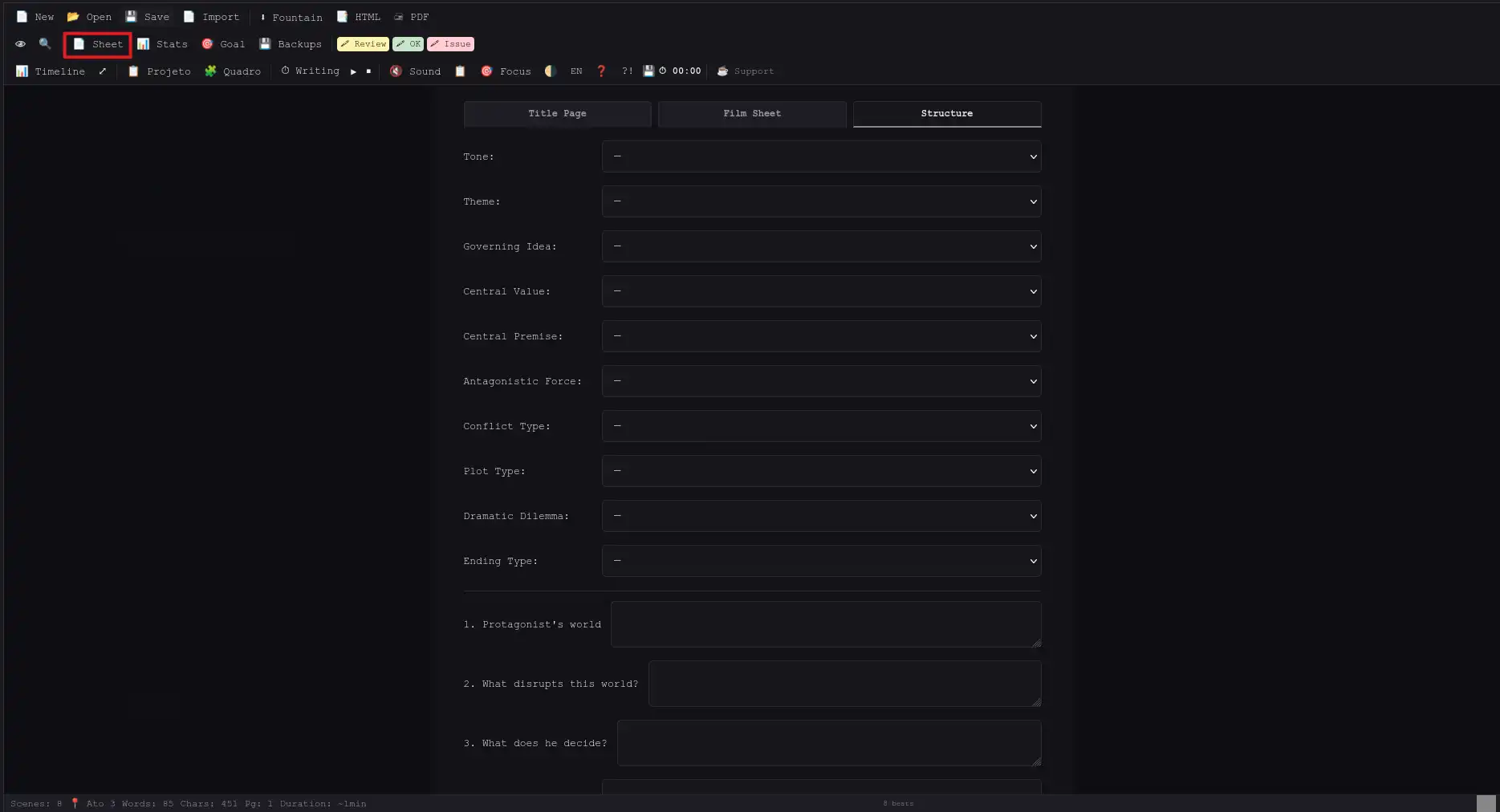
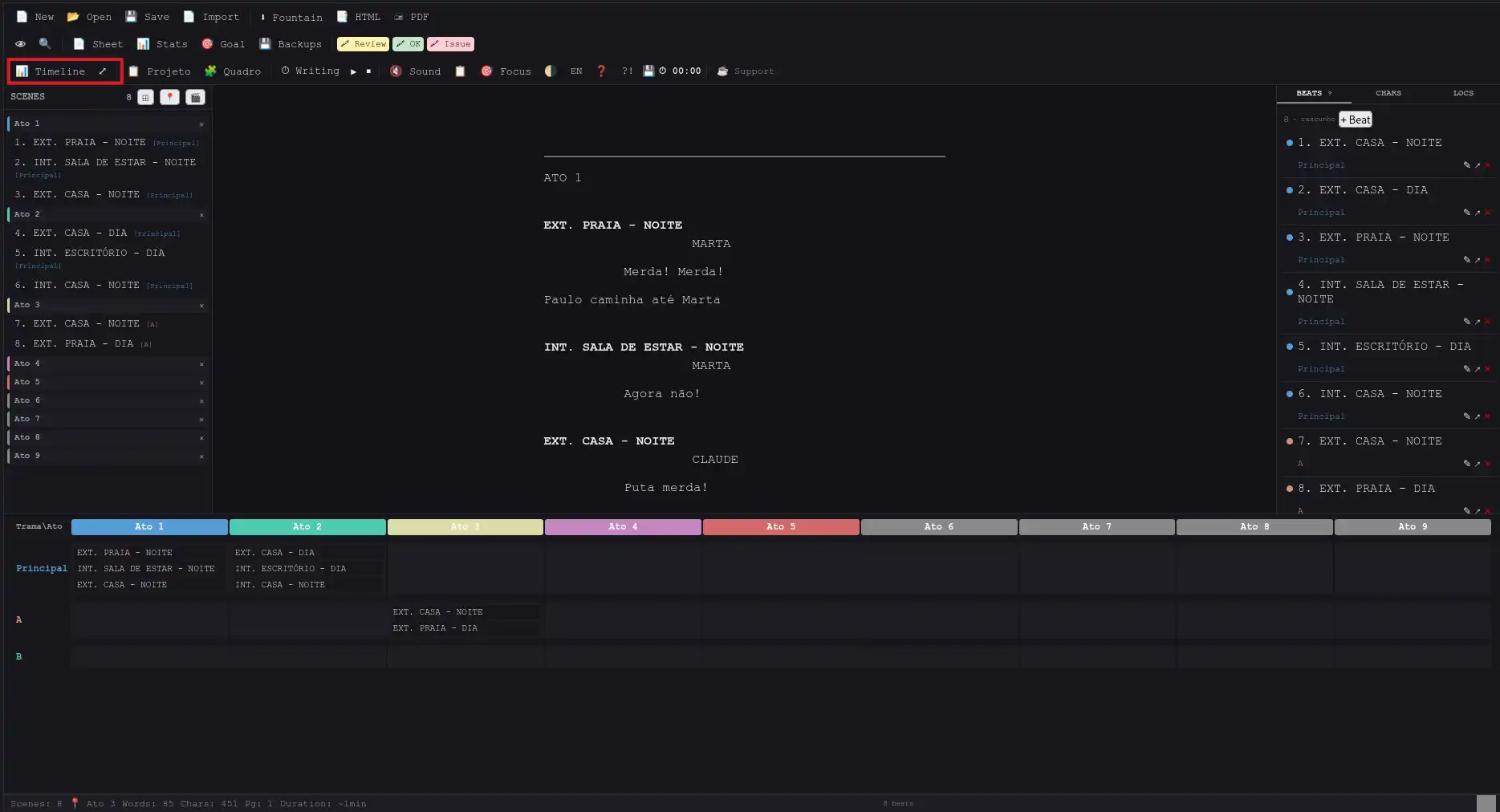
FeaturesWhat you can do
# Act N in text with one clickDesktopNative desktop
Fonte now has a native desktop version for Windows, Linux and macOS — automatically built on every release via GitHub Actions.
🐙 Code and builds: GitHub Releases
CompareFonte vs. Alternatives
| Feature | Fonte | Highland 2 | Slugline | Fade In | WriterDuet | Trelby |
|---|---|---|---|---|---|---|
| Price | Free | $5/mo | $50 | $80 | $8-12/mo | Free |
| Platform | Web (PWA) | Apple only | Apple only | Win/Mac/Linux | Web + apps | Win/Linux |
| Native Fountain | ✅ | ✅ | ✅ | ⬡ imports | ⬡ imports | ⬡ imports |
| Live preview | ✅ | ✅ | ✅ | ✅ | ✅ | ✅ |
| Corkboard | ✅ | ❌ | ❌ | ❌ | ✅ | ❌ |
| Acts × plotlines timeline | ✅ | ❌ | ✅ | ❌ | ❌ | ❌ |
| Beats with plotlines | ✅ | ❌ | ❌ | ❌ | ✅ | ❌ |
| Auto characters/locations | ✅ | ✅ | ❌ | ✅ | ⬡ basic | ✅ |
| Cultural Project (BR) | ✅ unique | ❌ | ❌ | ❌ | ❌ | ❌ |
| Visual planning | ✅ Excalidraw 12 templates | ❌ | ❌ | ❌ | ❌ | ❌ |
| PWA / Installable app | ✅ | ✅ | ✅ | ✅ | ✅ | ✅ |
| Focus mode | ✅ | ✅ | ❌ | ❌ | ❌ | ❌ |
| Pomodoro + goals | ✅ | ✅ | ❌ | ❌ | ❌ | ❌ |
| i18n EN/PT | ✅ | ❌ | ❌ | ❌ | ✅ | ❌ |
| Offline | ✅ | ✅ | ✅ | ✅ | ⬡ limited | ✅ |
| Export .fountain | ✅ | ✅ | ✅ | ✅ | ✅ | ✅ |
✅ Yes · ⬡ Partial · ❌ No
Unique advantages: Cultural Project module for Brazilian grant laws · Free and cross-platform · # Act N marker in text · Acts × plotlines timeline · Excalidraw with 12 templates · Film Sheet and Story Structure integrated
CulturalCultural project for grant applications
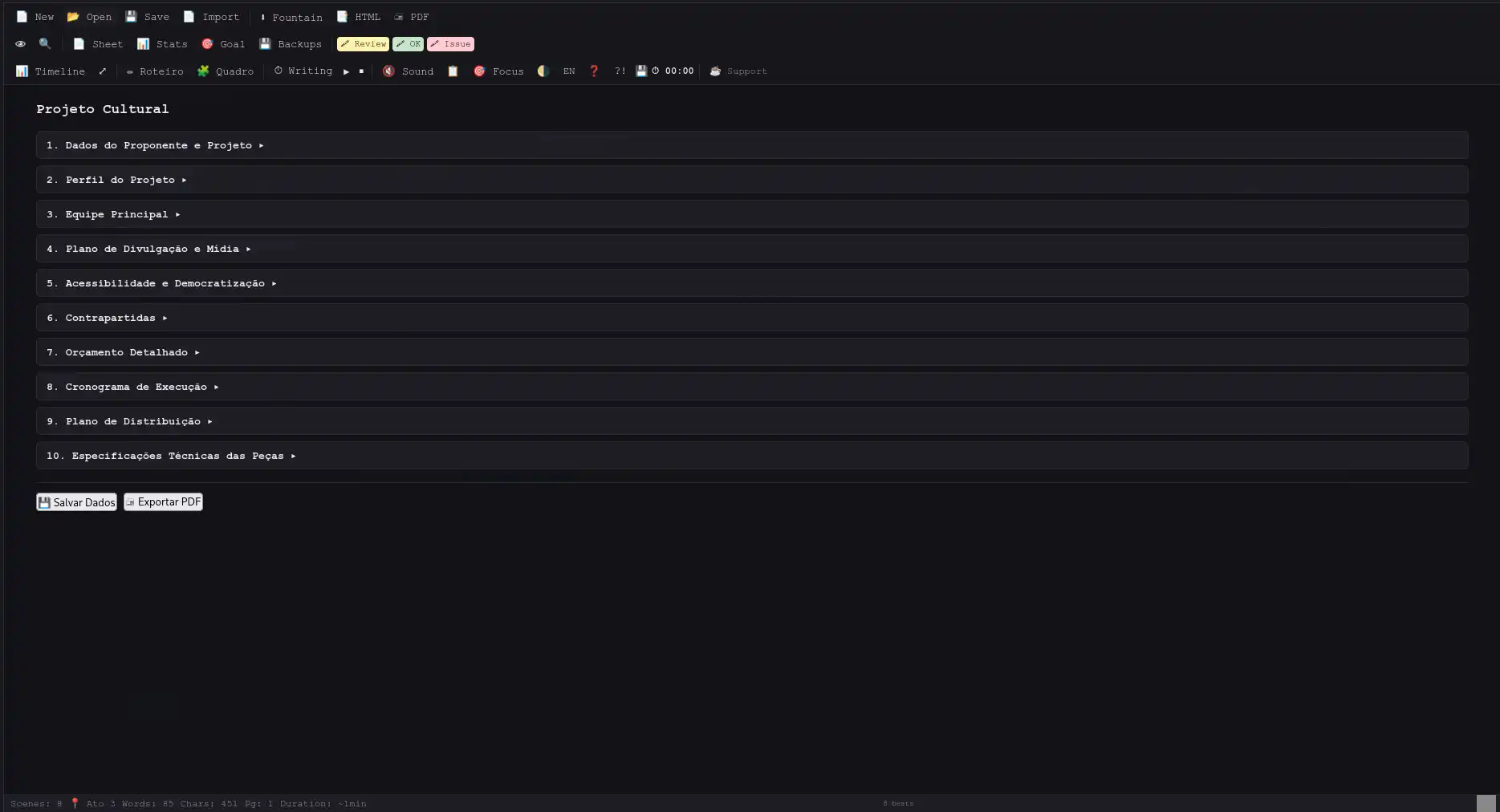
A complete second interface for drafting a cultural project for grant applications (Rouanet Law, LIC-RJ and municipal funding): proponent data, team, budget with automatic totals, a 12-month schedule and technical specs, in 11 sections, exported as PDF.
📥 Exports full project PDF
VisualExcalidraw board (12 templates for writers)
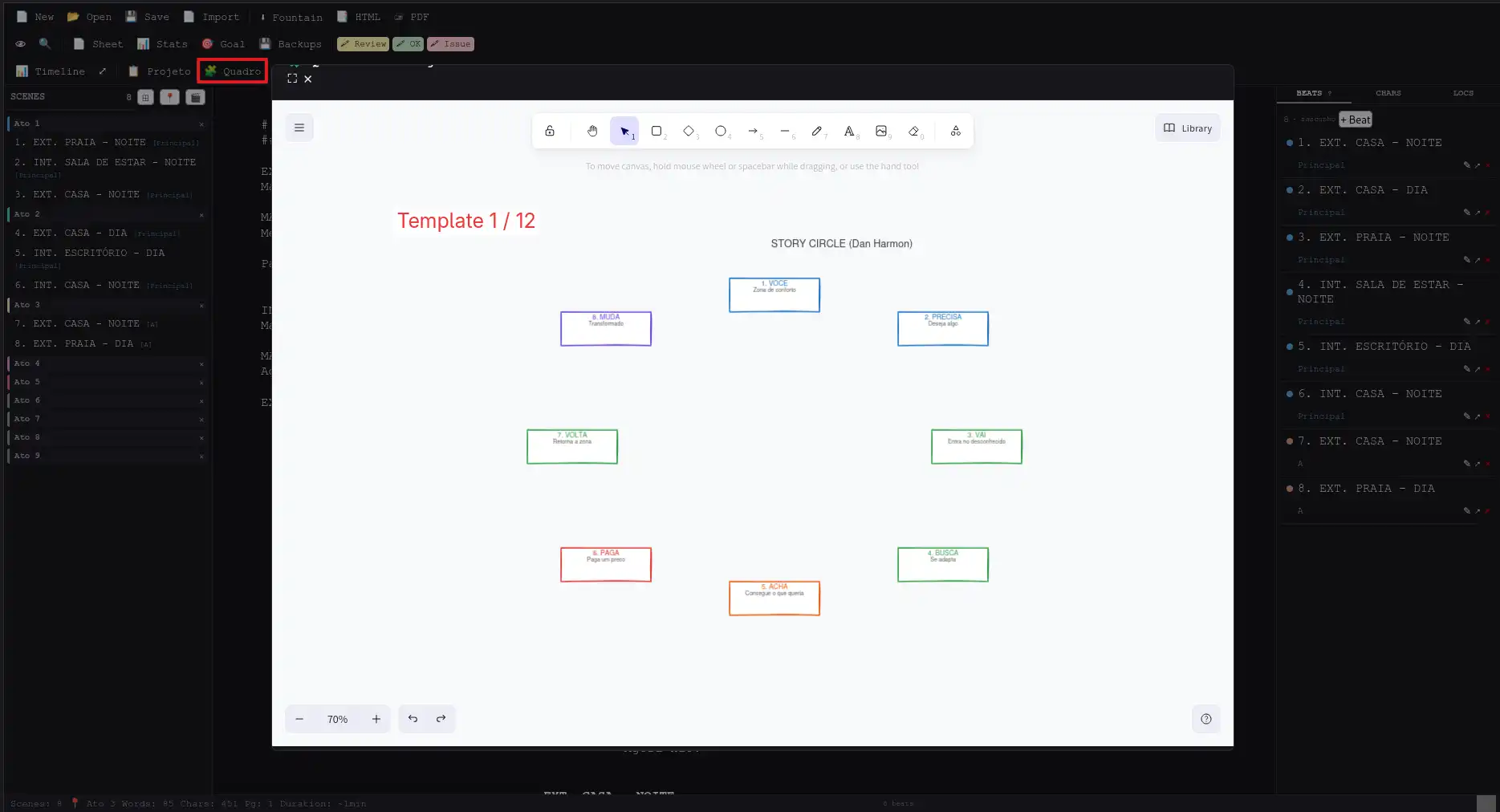
Excalidraw is built in: open the Board and plan your script visually, with 12 ready templates — works offline, saves inside the project and restores when you reopen it.
🧩 Make your own too: the board is saved and restored with the project
SavingHow saving works
FAQFrequently asked questions
What is the Fountain format?
Fountain is a plain text format for writing screenplays. You type like you're writing an email — INT. OFFICE — DAY becomes a slugline, CHARACTER NAME in uppercase becomes a character heading, dialogue below becomes spoken lines. Fonte renders everything automatically.
Do I need internet to use it?
No. After the first page load, the editor works 100% offline. Your data is saved in your browser and never leaves your device.
Is there a paid version or limitations?
No. Fonte is completely free and open source. No ads, no premium plan, no signup. Download and use it.
Does it work on mobile?
Yes. The editor is responsive and works on any screen size. On Android, open in Chrome → ⋮ → "Add to Home screen". On iPhone, Safari → Share → "Add to Home Screen". Fonte opens like a native app.
Is there a version for Windows, Linux or macOS?
Yes. Fonte has a native desktop app for Windows (.exe), Linux (binary) and macOS (.app) — with native window, menus, shortcuts and integrated Excalidraw. Download from the GitHub Releases page. The universal zip keeps working on any system.
How can I share my script with others?
Two options: the .fountain file (plain text script, compatible with Fade In, Highland, Slugline, Scrivener, WriterDuet, Trelby and Storyist) or the .json file (full project with script, characters, beats, comments and Cultural Project data). Both open in Fonte.
How do I share my full project?
Send the .json file — it contains the script, character profiles, beats, comments and Cultural Project information. The recipient opens it in Fonte and sees everything.
How do I sync projects between devices?
Save the .json in a synced folder (Dropbox, Google Drive, OneDrive, Syncthing). Open Fonte from any device on the same folder. You can even put the app inside the folder — it's tiny.
What's the difference between .json and .fountain?
The .json stores everything: script, characters, beats, locations, comments, Cultural Project. The .fountain is just the script in plain text, compatible with other editors. Both open in Fonte.
How do I create a shortcut on desktop and mobile?
Desktop: Open index.html once, bookmark it, and pin it to your bookmarks bar. One click opens Fonte. Android: Chrome → ⋮ → "Add to Home screen". iPhone: Safari → Share → "Add to Home Screen". It opens without the address bar.
CompatibleBrowser compatibility
| Browser | 💾 Save without prompting |
|---|---|
| Chrome 86+ | ✅ |
| Edge 86+ | ✅ |
| Opera 72+ | ✅ |
| Firefox | ❌ (downloads the file) |
| Safari | ❌ (downloads the file) |
| System | Native desktop |
|---|---|
| Windows | ✅ .exe |
| Linux | ✅ binary |
| macOS | ✅ .app |
FilesWhat's in the .zip
index.htmlMain pageindex.excalidraw.htmlVisual planning boardcss/app.cssStyles (light/dark)js/app.jsCore code (~2650 lines)js/i18n.jsTranslations PT-BR / ENjs/fountain-parser.jsFountain parserfountain_utils.pyPDF/HTML API (standalone)server.pySimple local serverlib/excalidraw-embed.jsExcalidraw offline (2.5 MB)lib/excalidraw-assets/Excalidraw assets (vendorized)templates/12 .excalidraw templatesmanifest.jsonPWA manifestsw.jsService Worker (offline cache)icons/PWA icons (192x192, 512x512)README.mdFull documentationAuthorWho made this
Ricardo A. B. Graça — screenwriter and developer.
www.ricolandia.com
Fonte is free and open-source.
If this tool helps you write, consider supporting it.
ricardograca@ricolandia.com 🧡 Open source — view on GitHub
Fonte — Fountain screenplay editor with film sheet, story structure, Cultural Project, integrated Excalidraw, PWA and native desktop.
→ Also visit: Creative Lab · User manual
UpdatesGet Fonte release notes
New versions, Fountain tutorials and behind-the-scenes of creating with free software.